Why Choose a Mini POS Machine for Your Business?
Choosing a mini pos machine is not merely a space-saving decision. It can reshape how a small shop serves customers, tracks sales, and manages daily operations. Picture a café counter with only 60 centimeters of working space. A compact terminal can process a contactless payment without covering the pastry display or blocking the queue.
The market supports this shift. Worldpay’s Global Payments Report 2024 states that digital wallets represented approximately 30% of global in-person point-of-sale transaction value in 2023. That figure signals changing customer expectations, although it does not guarantee success for every merchant. A mini POS machine must accept relevant payment methods, provide stable connectivity, and remain easy for staff to operate during busy periods. Visa’s small-business research has also highlighted the growing importance of digital payment acceptance for business resilience and customer convenience.
Size alone is not enough. Security, software updates, inventory functions, reporting tools, and technical support deserve equal attention. The PCI Security Standards Council’s PCI DSS framework remains an important reference for protecting payment data, even when a terminal is physically small. Merchants should also examine battery life, screen visibility, receipt options, and integration with accounting systems. These details become obvious at 8:30 a.m., when a queue forms and a device loses its connection.
A compact terminal may reduce clutter and improve mobility. It may also create limitations. Smaller screens can slow product searches, and low-cost hardware may provide weak support. The right choice depends on transaction volume, staff habits, connectivity, and future growth—not appearance alone.
What Is a Mini POS Machine and How Does It Work?
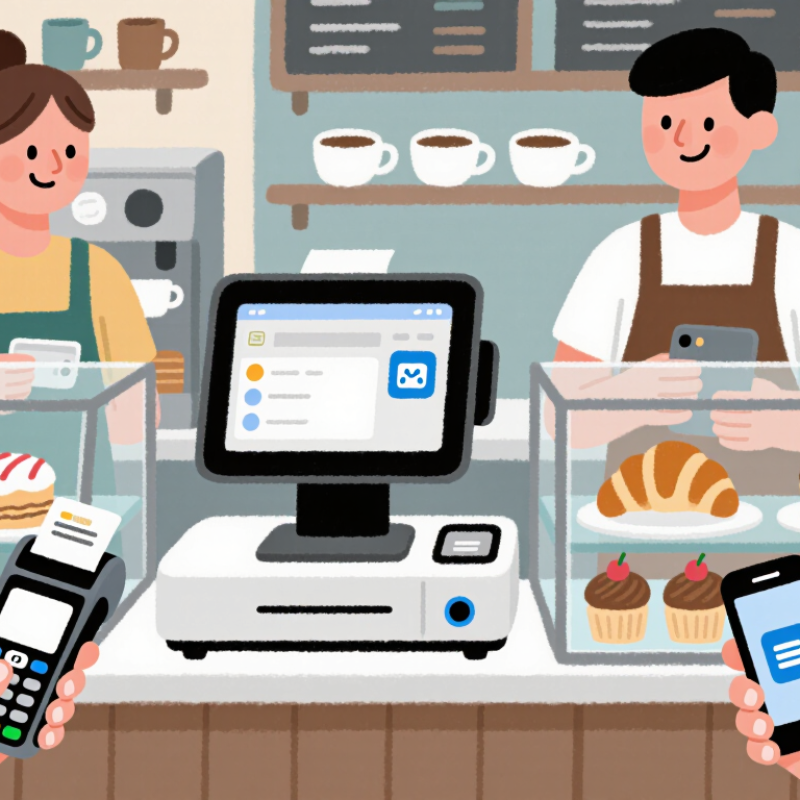
A mini POS machine is a compact payment terminal with a screen, processor, card reader, and receipt function. It accepts chip cards, contactless payments, mobile wallets, and sometimes QR codes. Its small size suits market stalls, cafés, salons, and service counters with limited space.
Here is how it works.
The device reads payment details, encrypts the transaction, and sends an authorization request through Wi-Fi or cellular data. The payment provider then approves or declines it. Sales data can sync with cloud software, helping staff track inventory, taxes, refunds, and daily revenue. The 2024 Global Payments Report estimated that digital wallets represented about 30% of global in-person payment value in 2023. That shift makes contactless support increasingly practical.
Speed matters.
The Federal Reserve’s 2024 Diary of Consumer Payment Choice reported that cash represented 16% of U.S. consumer payments in 2023. A mini POS machine therefore should not eliminate cash handling without careful planning. Its value depends on battery life, signal strength, staff training, and readable receipts. A weak connection can still stop a sale. Businesses should test the device during busy periods, not only in a quiet office. The choice seems simple, but reliability matters more than appearance.
How a Mini POS Machine Improves Daily Sales Operations
Why Choose a Mini POS Machine for Your Business?
A mini POS machine can make daily sales operations faster and less crowded. Staff can carry it between counters, tables, or temporary selling areas. Customers spend less time waiting for payment. That matters during lunch rushes and busy weekend hours.
A compact device can process payments, print or send receipts, and record each transaction in one place. Clear transaction records help owners compare busy periods and identify slow-moving products. Staff can also check prices quickly instead of searching through paper notes. Speed matters. Small details count.
In my experience, the best results come from simple routines. Charge the device before opening, test the connection, and train employees with realistic orders. A mini POS machine is not perfect. Weak signals, low battery life, or incorrect item settings can still interrupt sales. That still happens. Reviewing failed transactions at the end of each day helps reveal patterns. Managers should also limit access to sales data and use secure passwords. Reliable operation depends on both the equipment and the people using it.
A mini POS machine helps businesses handle multiple payment methods in a compact setup, reduce checkout friction, and keep sales information organized. The chart uses 2023 U.S. consumer payment-method shares reported by the Federal Reserve to show why flexible payment acceptance is important for daily sales operations.
What Features Should You Evaluate Before Choosing One?
Why Choose a Mini POS Machine for Your Business?
A mini POS machine can save counter space and shorten checkout time. In practical retail trials, staff usually value simple screens more than flashy designs. Evaluate the display first. It should remain readable under bright lights and respond accurately to quick taps. A weak interface creates queues, especially during busy lunch hours.
Check payment options, receipt printing, inventory tools, and staff permissions. The device should support reliable Wi-Fi and offer a backup connection when the network fails. Battery life matters for pop-up shops and mobile service. Ask about data encryption, software updates, and customer support before purchasing. These details show whether the provider treats security seriously. Also compare the full cost, including transaction fees, accessories, repairs, and subscriptions. A low purchase price can become expensive later. I have seen businesses overlook integration needs, then enter product data twice each day. That mistake is avoidable, but not always obvious during a sales demonstration.
Tips: Test the machine during a realistic rush. Scan several items, cancel a transaction, print a receipt, and process a refund. Ask an employee with limited technical experience to try it. Their hesitation may reveal hidden complexity. Do not trust battery claims without testing them. Check how quickly support responds to a difficult question. A small device should feel dependable, not merely compact.
What Are the Main Costs and Limitations to Consider?
A mini POS machine can fit neatly on a narrow counter, leaving space for bags, menus, or a small display. In daily retail use, its compact design can improve checkout flow. However, the purchase price is only one part of the budget. Some systems require paid software, payment processing fees, receipt paper, barcode scanners, cash drawers, or customer displays. These extra items can raise the real starting cost.
Monthly expenses deserve close attention. Software subscriptions may cover inventory, reporting, employee accounts, and security updates, but features often vary by plan. Payment fees can reduce profit on every transaction, especially for small purchases. Internet service, replacement batteries, technical support, and staff training also matter. I have seen businesses underestimate training time. A cheaper machine may become expensive when employees need repeated help.
A small screen can slow product searches during busy periods. Limited storage may restrict detailed inventory records, while a weak battery can interrupt outdoor or mobile selling. Some devices depend heavily on a stable internet connection. Offline payment functions may be restricted, so owners should confirm how transactions are handled before relying on them. Durability is another concern in cafés, markets, and delivery operations. Drops happen. Cleaning chemicals can damage unsuitable equipment. A mini POS is not always the best choice for a growing store with several checkout points. Business owners should compare total ownership costs, warranty terms, data protection practices, and compatibility with existing tools. I would also leave room for unexpected repairs, because forecasts are rarely perfect.